 The SSD Review The Worlds Dedicated SSD Education and Review Resource |

Today in our lab we will be testing two of the new Areca ARC-1882 Second-Generation 6Gb/s SAS/SATA RAID adapters.
Yes folks, that’s a plural and we are lucky enough to have two of these beasts in our hot little hands. Get ready for speeds as you seldom see in any technology and review forum. Sit down, buckle up and hold on for the ride of your life because for the first time ever, we have reached an UNBELIEVABLE 4.7GB/s disk performance speed!
INTRODUCTION
Areca has long been a leader in RAID controller technology with a long line of reliable and high performing RAID controllers. Many in the enthusiast community particularly admire Areca and their controllers as they have a penchant for using large amounts of DRAM cache and their firmware goes further to providing premium cache leverage. For desktop computing, the Areca family is hard to beat.
Areca RAID controllers are known for their highly customizable settings. This is enhanced by firmware and options in Areca’s controllers, along with the GUI, that are far superior to most enterprise RAID cards. Considered by many as a ’boutique’ RAID company that caters to the high performance crowd, Areca prides itself in their extensive hardware options that allow users to really customize and tweak the performance of their RAID solutions. Other finer points of these controllers include their excellent and easy to use out-of-band storage controls which can be very handy when used in servers.
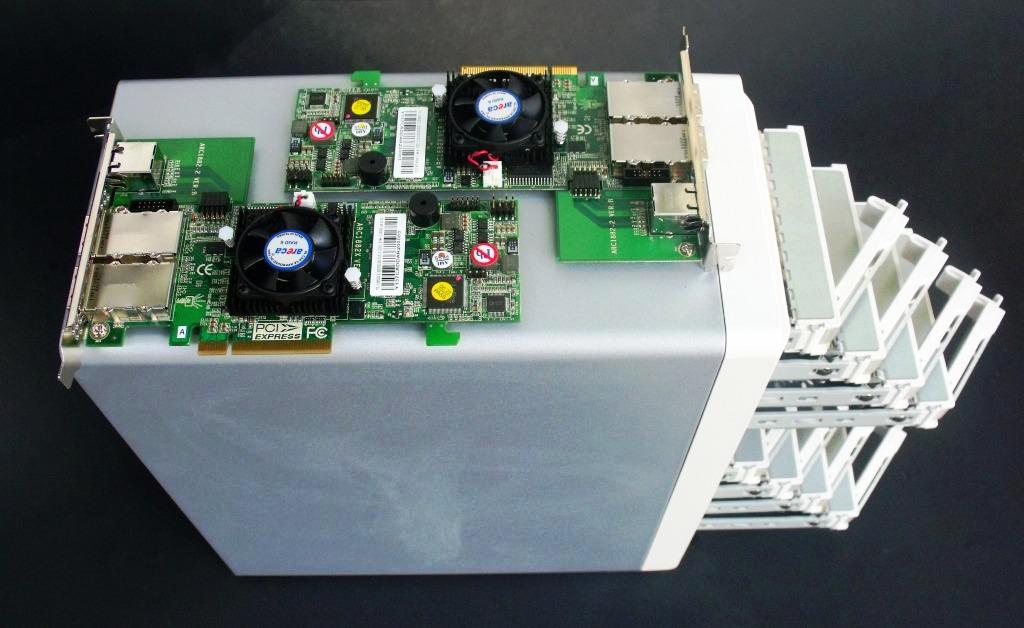
Customer service is a hallmark of Areca and fast timely resolution to any issues that may crop up is assured. This is probably Arecas greatest strength and here they continue to deliver. So much so, in fact, that many competitive overclockers and benchmarkers consistently use these devices as their first choice for high performance computing. Many world records in benchmarking realms have been set using these controllers, as will many more in the future.
A staple in data centers worldwide, Areca controllers are known for being rugged and demonstrate excellent reliability.
Building upon the wild success of their 1880 line of controllers, Areca is looking to take things to the next level utilizing a dual core ROC that is a step up from the single core ROC used in the previous generation.
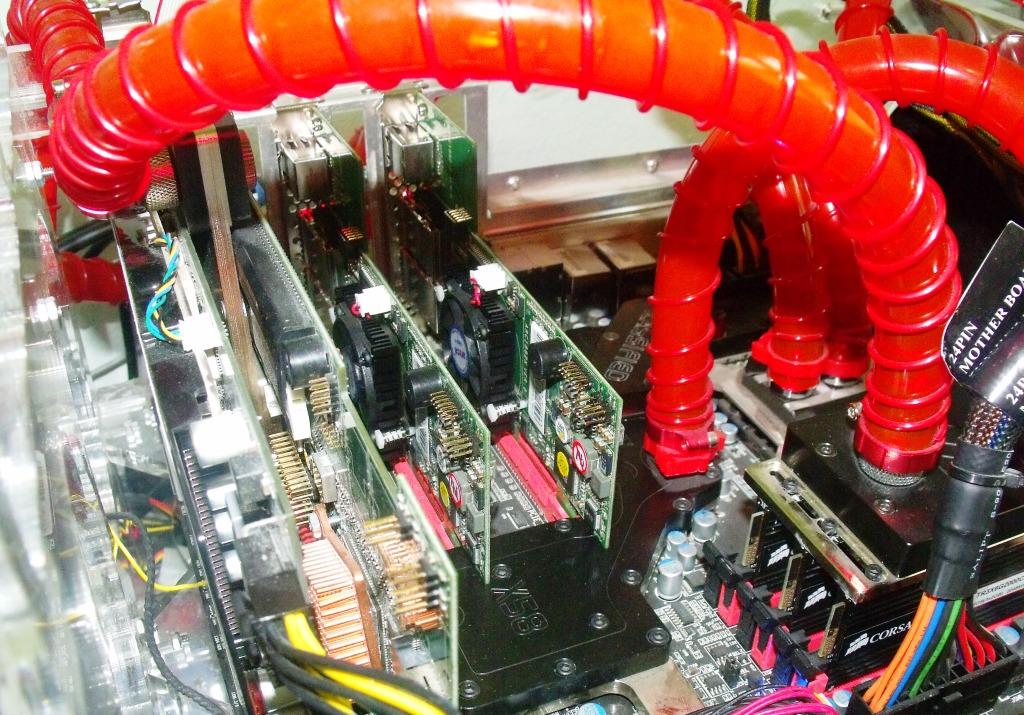
Where will we see the benefits? How will a single core solution stack up against the dual core variant, especially in Parity RAID sets? Today we set out to test the 1882 vs its predecessor, the 1880, in a number of tests that will showcase the strengths of this newest controller in Arecas line. We are also going to explore the amount of customizations that the Areca controllers afford, and some of the features that makes them such a sought after solution for so many users.
Need another 8 to 16 SSD’s to fully load RAID card setup. Would also like to see the impact of the 4GB cache and higher IOPS.
The dropoff you see with the dual setup is just a programming glitch in atto disk benchmark. It used to be the same with transfers above 1GB/sec in earlier versions. Downloadn an older version to test with and you’ll see what I mean.
Kind regards.
I’ve got a setup with 20 SSDs across multiple RAIDs and, at least with ATTO, I get ***MUCH*** better results with non-cached/unbuffered (Direct I/O) tests… can’t figure out why this is though. Very frustrating.
The Areca documentation is pretty awful, giving the briefest of descriptions on card functions, and even those are open to interpretation, leaving me to wonder what the heck they’re actually talking about (I mean, what does this mean, in practice, “The “Read Performance Margin†is for controller to reserve n% read margin during AV stream recording.” Can the card magically determine that you’re system is streaming A/V, versus a very large sequential DB write, and what is the ‘read margin’ it’s reserving n% of??? Do they mean it reserves n% of the read cache you’ve set?
In practice, I’m getting better performance from an HP P410i with only 512 MB memory than I am with the 1882 with 4GB. I’d really like to have some more informative instructions about the configuration options.
I also think it would be much more effective if these setting cold be by array, like the P410i, and not for the card as a whole.
You know at one time I thought ATTO only made the disk benchmark tool! Wish it was better publicized that they make great RAID Adapters too!!
“After that the results do drop off a cliff with the larger file sizes, as we get away from the stripe limitations of the dynamic disk.”
What limit is this??? Have you ever considered that the ATTO benchmark uses 32 bit unsigned integers to store the results, so it cannot display numbers bigger than 4294967295 bytes/sec.
There’s a typo on pg 9 – right top picture is for 1880ix, not 1882ix.
Does the Crucial m4 drives compatible with the 1882 ?
Yes, I’m using Crucial M4s, both the 256 and 512GB versions. Be sure to update ALL SSDs with the latest FW rev 000F because the previous versions (0009 and 0309) have fatal flaws.
I’ve used Areca products for years in the corporate environment and like them quite a bit. The below statement about service, however, is laughable.
> Customer service is a hallmark of Areca and fast timely resolution
> to any issues that may crop up is assured
Have you ever tried to get a card serviced? I have. When there is hardware failure you mail off your card and wait 2-3 weeks for it to come back. There is no option to provide a credit card & have another refurbished card cross-shipped to you right away. This means whatever system just failed is down for 2-3 weeks. RAID cards are about reliability, it means you need spare card hanging around if you’re worried about failure. Not exactly a cost effective solution.
I’ve had the same problem. I am a reseller and have had two Areca cards fail on servers. One had been in the server for about a year. The other failed within two weeks. They took 1 month to repair the cards both times. We had to purchase a new card the first time to get the customer up and running, and the second time, we had to use the card Areca had previously repaired. Areca’s response? Buy an extra card to replace your customer’s card when it fails. This is unacceptable. I’m switching to LSI. Areca lost my business.
I honestly don’t see the point of buying an Areca card. For the most part, they use LSI chips and have crap support. However much money the author was paid to write about their “hallmark” support — who knows, but from my experience, their support is TERRIBLE — LSI on the other hand has great support. Why not just go straight to the source and get an LSI MegaRAID card? I don’t see any reason to buy an Areca card.
Personally I agree. I have had trouble with Areca, 3ware and some success with LSI but the best service I have ever had was from ATTO, they seem to understand our business is our lifeblood and want to help us however they can!
I know it’s an old thread. But I just have to add that my experience with Areca is as bad as any of you have described. Emailed the support person and we told to contact my reseller about replacing a defective card. I then contacted Tekram which I bought the card from and my impression is they are reluctant to deal with the card. However, I managed to get a RMA. But after sending in the card for more than 3 weeks, I haven’t heard anything, and two emails requesting update has been ignored.
At one point, I was going to replace 50+ old LSI/Supermicro cards with Areca. Now, I am removing all my Areca cards. No way can we afford to use them in production servers.
Stay tuned… we have a brand new Adaptec card in the hopper with 24 SMART SSDs and we don’t think these numbers can be beat anywhere!
Les, I think you write good information here. Over time it seems that you’ve started to skew towards SSD solutions for the server. In the server world performance isn’t the only consideration. It’s also about the other factors: reliability, getting service when something fails, and most relevant to you: getting accurate information. Personally, I would hold your site in higher regard if you provided an edit at the top of the article about the trouble with Areca’s customer service.
Thank you for your input but our reports can only encompass the information we have at hand; this of course wouldn’t include that of which you speak. We don’t court ANY manufacturer and have plenty examples of publishings that many others might not have put to print. We believe every piece of equipment gets a fair kick at the cat once it is received without exception. Having said that, we would not be inclined to jump into any area, or report on any area, that we did not experience personally. Thanks ahead.
I didn’t mean to imply an impropriety — apologies. One point to make, however. If you don’t have persona experirence about reliability or service then printing “customer service is a hallmark of Areca and fast timely resolution to any issues” is conjecture. I guess that’s why my earlier comment touched a nerve that a bunch of others have echoed.h I guelmark of Arasdf
No need to aplogize and I appreciated your comment, not believing anything other than an honest opinion was provided. I took a look at the report and, as it was written by Paul Alcorn some time ago, I cannot comment on customer service then or present day. We have to rely on the honesty of our reporters and I believe Paul was sincere in his thoughts at the time and, there was probably reasoning for this statement as he is very well established in the Forum community. To bring this to the view of the reader, unfortunately we cannot alter reports to reader viewpoints for many reasons, the first of course being the possibility that this may simply be a disgruntled owner…which I am not saying that it is.
Thanks again.
I know this is an old thread but I thought I would chime in with my experiences with my unreliable Areca RAID card (ARC-1222).
First, the card failed within the first 6 months of purchase. The card would not initialize and I had to send it off for repair to Taiwan and waited 3 weeks to get it back. Areca support stated they had to replace the flash chip on the card.
Second, the card is marking drives as failed every few months. If I remove then re-insert the drive it rebuilds the RAID set and functions just fine for a while.
Third, most of the time when the card drops a drive, it starts timing out. The cli command can’t talk to the card over the PCI bus, plus, the Web and telnet interfaces time out as well.
Fourth, when the card starts timing out, the file systems sitting on top of the failed RAID set start to fail because the card drops the SCSI device out from underneath the OS. My only recourse at this point is to shutdown the system, then start it back up so that it re-initializes the card.
Hello.
How did you span both the controllers ? What did you do ? Thanks in advance.
As mentioned on page 13 of the article, they made a striped array on each of the controllers and then made a software stripe of those two arrays (effectively RAID00) within the diskmanagement console of Windows 7.