 The SSD Review The Worlds Dedicated SSD Education and Review Resource |

TESTING ANALYSIS
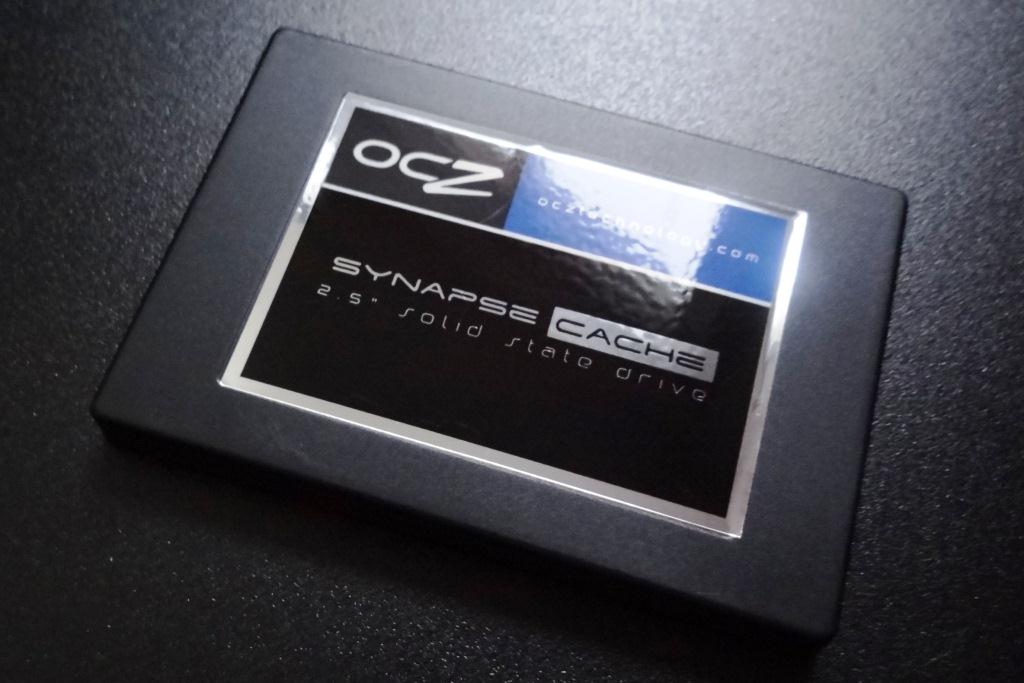
When we first started our report of the OCZ Synapse Cache 64GB SATA 3 SSD, we identified several criteria that would have to be met in order to obtain a successful recommendation at the end of the day. The Synapse Cache would have to have a speedy boot time, visible performance upgrade in normal activities, would have to speed up other logical drives and its performance would have to be exemplary and demonstrated through testing.
As I compile this final report using the Synapse Cache system I created, I have to admit that I cannot tell the difference between this and the SSD I would typically have in place as my boot drive. In fact, I think this configuration actually boots faster. Our test results, as shown in both synthetic and PCMark Vantage testing, demonstrate that the Samsung M8 1TB 5400RPM hard drive is performing at and above the level of some of the best SSDs available.
 There was one criteria that I valued so highly that I would have given the Synapse Cache a failing grade if it hadn’t succeeded. This was the boot time from a cold boot after the system had been in an off state for over ten hours. I will even admit that I never had the confidence that it would boot quick enough for my liking. The initial boot time of the Synapse Cache of 13 seconds just blew me away; I never thought this possible.
Lets consider this for a second. My initial boot time was 1 minute and 45 seconds compared to that of 13 seconds with the Synapse Cache which is a savings of 1 minute and 30 seconds. If the average person starts their computer three times a day, on average, that’s a savings of 4.5 minutes per day or over 27 hours a year just sitting and waiting for your computer to start.
What is one day a year worth to you?
The OCZ Synapse Cache SSD is deserving of our Editors Choice Award. It’s release opens up a new door for consumers looking to significantly upgrade their present system without having to break the bank or reinstall a system that has served them well for some time.

Thoughts, Comments or just an Opinion? TAKE IT TO THE THREADS!!!
Who Knows? You just may find unpublished pictures and tests while there!
Nice review. I immediately thought I need to get one 🙂 Then I realized that it might not work for me as I have a number of drives in my PC. I only really need to cache two drives for this to be effective. Can you confirm that it can only cache one drive?
When you install the Dataplex software, it asks you to identify a single hard drive to cache. It was only through experimenting that I learned that all logical drives on that hard drive are cached as well.
Thanks for the review. This is a nice product. As an HDD user I still find the price a little high for my taste, but it’s a more convincing product than an SSD for me, because the size of the virtual SSD can be as large as the HDD I install, which means I can don’t have to worry how I arrange my disk, and if I upgrade the HDD to a larger one I get more cached space.
So I’ll try to remember to keep an eye on this for when the opportunity arises to get something from the US. Hopefully by that time HDD prices will drop back to normal. This plus a 2TB HDD could be good value.
From OCZs website:
Your Dataplex licensing key is only valid on one machine. Dataplex uses various components to identify a PC (memory, OS, CPU Id, BIOS, Ethernet card); if two or more components change, it is considered a different machine. If you wish to change only one component, Dataplex will automatically revalidate the license as long as there is an internet connection when the PC is rebooted. You must uninstall Dataplex to release the license prior to changing two or more components in your system. Licenses cannot be released after the system is no longer valid. Please contact OCZ tech support to reset the license if this occurs.
Thanks. This doesn’t discuss changing the drive that is cached, but I assume from this that you can uninstall and reinstall and change drive that way. If that’s possible then it’s possible there’s also a simpler way to do it.
Thank you so much for the review. I have been waiting for a review before picking on of these up. The only last question! Is it worth it to get a 128gb drive? or is 64gb sufficient? I have a 1tb hdd. Will the 128gb give better performance?
The only benefit one may gain between the 128GB and 64GB is overall lifespan of the drive IMHO as the 64GB provides just under a 30GB cache which is plenty to ensure the hard drive reaches top SATA 3 speeds.
Would you consider the Synapse in a new build. The price difference between a Synapse 64GB and Vertex 3 90GB is only $20 locally. I’ve been considering the Vertex 3 90GB as a boot/application drive with HDD as file storage, with a new Z68 MOBO. Can you imagine any advantage using the Synapse to cache via Intel SRT instead. It seems the cache setup would make disk management easier as one wouldn’t have to monitor disk space on the SSD as boot drive or configure the file system to store on HDD only, as all practices with the cache setup would be exactly as HDD only.
The only problem that I can think of now is the licensing policy as it might apply to a new build, in that the likely possibility of, say, adding more RAM and a second HDD would be considered a new machine as stated in the licensing terms you noted earlier. Overall, the software licensing policy seems a tad draconian in this regard, and this caching option may not be worth pursuing as such for a new build. But perhaps I’m reading it incorrectly though.
thanks for the article.
The3 key is that the cache is tied to the drive you identify. The benefit is that it provides SATA 3 performance over the entire hard drive, whereas, otherwise only the boot drive and its contents enjoy the speed of the SSD and any hard drive would not.
As a comparison to Intel SRT, we did not do any comparison in the Synapse review.
Using Synapse for cache in a new build rather than an SSD as boot drive is starting to seem more and more reasonable, kind of elegant really. Also way more cost-effective than having to go high-end on price for a large capacity SSD to get full effect of SSD performance. Cool. Hopefully the licensing policy doesn’t turn out to be a hindrance. Thanks for your reply.
what happens if you remove the Synapse Cache drive after using it for few days but do not uninstall the software? The system will continue to work as it was working before the drive and software was installed?
i am basically wondering if I can use it as an external cache drive, i will hook it up when i am at home and disconnect it when i take the laptop outside. 🙂
If you remove the Synapse cache drive once all is installed, the system will not boot and this is the same if you elect to remove the hard drive. Dataplex ties both together for the computer to function properly.
Can this be used as a cache for a non-boot hard-drive? other words using an SSD as a boot and this to speed up my storage drive?
Would there be much of a performance drop using this OCZ cache if my motherboard only supports SATA 2? How about only SATA 1?
Just trying to determine if this is an important issue or not.
You need to clarify performance. If you are asking if downloads will take longer, most definitely. Now if you are asking if you will observe a visible difference between the three SATA versions, then most likely not. The strength of solid state drives is the access time which averages at .01ms compared to a hard drive at 9-15 seconds. This means a visible increase of over 50 times.
The access time does not change from SATA versions so the average eye cannot pick up the difference unless they are doing a specific task that might be better suited for a different SSD. (ie video editing)
OK, let me get this straight. I’ve just bought 7 60GB Vertex 3s for a bunch of computers, and they transform them. (I know, I don’t have to convert anyone here!)
But the developers are saying “Naw, it’s too much effort re-building my machine”.
And yes, even with an image it takes time to do the job.
Does this mean I can just install this thing, install and register the software, and the whole thing runs like the clappers? (Except for the first boot, which I can cope with!)
If this is the case then I’ll just get 20 of them straight away.
Which brings us to the server: I have a couple of Dell 710s with a 6 x 600BG Drives. Where can I put these little critters to make the server sing?
Hey! That’s a great point. No need to shrink my HDD or migrate data from HDD to SSD. This is just an “add-on” component to give me a performance boost. I will definitely have to give this a try.
I have spoken with NVelo a great deal since the review and, in fact, we will be doing some testing in the near future of the software. They state that they can use ANY drive combination for Dataplex, but presently, OCZ is the only to have marketed the complete solution. Further, there are no plans to sell their solution as an individual consumer solution, however, other companies are speaking with them.
In the end, yes, you can simply add the Synapse, as we did, and see the performance of the present hard drive without the hassle of re installations or manipulating of the drive in any way.
The more I read about this drive the more interested I become. Do you plan on doing any more ‘real world’ testing with regard to program use. The standard seems to be Photoshop but also things like video editing, certain games or other disk intensive applications. Personally I would be most interested in knowing stuff like whether it caches temporary internet files and how this affects browsing or what it does with the page file (if it’s cached how does this affect windows performance versus the lifespan of the caching drive).
This drive is looking like an ideal transition option until everything moves to SSDs over the next 5 years or so. The only thing that remains to be discovered is durability and reliability. These drives are so new it’s too early to know whether they will report failure rates similar to earlier OCZ SSDs. It would also be nice to know if the firmware updates have solved the BSOD issues but I guess only time will tell for sure.
They stated Anvil Storage Utilities had endurance testing but they did not test the drive. They could’ve not used this synapse ssd as cache and test it as any other ssd to see how much host writes it could endure.
Time will tell but why wait? xtremesystems.org users use Anvil Storage Utilities to see how much a ssd can really live. I don’t get it why no review site “has had” this idea. MTBF is bs compared to the actual lifespan of a ssd, and MTBF is marketed as ssd lifespan(they’re not explaining it, they’re just showing the value).
I do alot of photo editing and video rendering. the question is, will this speed up the launch of photos and then save, just as fast as ssd ? like photoshop batch resize of average 5MB photos.
With Synapse, your hard drive runs exactly as we tested so the answer to your question is yes, it is just as fast as an SSD and will speed up photo launch.
Hello,
Great review. Looks like a very useful product.
One question: If this SSD were used to cache a Windows 7 Software RAID-1 drive, would it still work? It would have to work with a Dynamic Drives. More & more workstation users are opting to go with Windows Software RAID-1/mirroring (not Intel onboard, nor full hardware RAID) to provide redundancy for workstations. Will this cache system work with tne Dynamic Disks used in a scenario such as this?
Thanks,
CH
In speaking with NVelo, they state that this will work with ANY volume regardless of the RAID configuration.
Buyer beware. I have had two out of two failures with the 64GB Synapse Caches. One recovered fairly quickly, the other is stuck in Recovery mode going nowhere fast. The product is half baked. Works great when it works but not worth the aggravation in a production system. Think of it as a beta product and a novelty.
Sorry to here of your situation. I don’t know if I mentioned in the review but the Test Bench is still using the Synapse…. Not a prob here but will report if things change!
With the DR1106.exe utility from Nvelo I was able to recover fairly quickly. The 1103 version was pretty useless. The rule is not to have an unexpected (BSOD) or forced shut down. And have that newer utility on a bootable USB drive handy.
Where do you get this utility from? When I had my last long outage OCZ support did not mention ANYTHING about a utility. I was left in pretty much a ‘you are on your own’ if you can’t swap the drive to another machine.
I have scoured the NVELO and OCZ web sites for any utilities/updates/anything and I have not come across anything.
seems to be a very interesting “gadget” to boost my computer. any idea how it works on asus rampage 3 extreme with marvell9128 controller? will i reach same speed as shown in your test?
I am a developer who was is in the middle of a delivery and could not afford to be down for a reinstall of all my OS and software. I have been using this solution now for over a month and here are my observations:
1. It works like a hot damn. My productivity went up dramatically … Visual Studio is snappy and loads in seconds vs. minutes.
2. Usually of there is a OS crash or power outage it takes ~30 seconds to run it’s verification.
3. On one occasion, I had a power outage and it took 6 hours for the verification to finish. OCZ support says that this is normal in certain circumstances where large amounts of data are cached.
4. You should use a UPS and have the OS shutdown if you do not want the PC to be unavailable for extended periods of time. They need to make this a requirement with the software in it’s current state.
5. I would not use this solution on a server as you will not be happy in the event of one of these outages and you are down for 6 hours.
6. The only way to disable the Dataplex software (remove the caching) is to install your hard drive in another machine. This will invalidate the license and allow you to use the drive as normal. I.e. If the SSD failed, there is no way to disable the Dataplex software other following the exchange with another machine procedure.
7. It seems like crashes/unexpected shutdowns invalidate the cache and the system has to rebuild the cache so it takes a little use for the software to figure out your usage patterns.
8. Where/how do I update the software? There is nowhere to download and upgrade the Dataplex software. Is it assumed that there will never be a requirement for a new version?
The Dataplex software leaves a lot to be desired in terms of dealing with the exception conditions and I wish I could have some visibility into how it is working and determining/affecting what was being cached. Given that, it has been well worth the money for me and improved my productivity dramatically.
can we buy the software only and use a more reliable ssd brand such as intel or crucial ?
No, unfortunately not at this time.
Hours of verification after a crash is pretty unacceptable. I can’t use this product knowing that even in a minor accidental power outage I’ll be locked out for ages. I have to somehow get Newegg to refund this thing.
I have been through exactly what you are describing and must say that I never had anywhere near that type of wait. The first question I would have though is what caused it. Was an improper shutdown?
what kindof idiot in 2012 doesnt have a battery backup
I could buy this now off newegg for $154 or wait until western digital comes out with their 60Gb drive a tthe end of february for $100. Would love to see them go head to head.
I think the reviewer is misinterpreting the term “hot cache”. He seems to think this means data is only active, or “hot” when the computer is on. For example he states a couple times that he was unsure how the drive would perform after being off all night and cold-booting in the morning, implying the drive might not retain the cached data. NAND flash memory is nonvolatile and wont lose data (the cache in this case) after being off for extended hours. The term “hot cache” simply means the data that is most commonly accessed. This common data will be copied to the SSD and will remain there until the software deems it unimportant enough to be replaced by other data. It works the same way as Intel’s Smart Response Technology. I found it strange this review didnt seem to fully understand the concept, or maybe I was getting the wrong impression.
I appreciate your thought and detailed response and can assure you that our knowledge of ‘hot data’ and its retention when the drive turned off is sound. Our review is an emphasis in this fashion because we were aware that many readers would not be familiar with ‘hot data’ or the fact that it could be retained when power was lost. Thank you once again.
My situation is a bit different. I have a client who WAS using Windows 7 file sharing for an accounting program and a order control system (2 databases 2 users) Once both users were in the program it became unbearably slow. So the client goes out and buys a Dell server with a 1TB server. This is where I came into the picture. They want the server set up so that 3 PCs connect to it. 2 for the databases and 1 for the graphics guy. I’m out looking at HDDs and stumble across this little gem. I understand the problem with having this tied to my boot drive and unexpected outages…not good and even though it will have a UPS I’m thinking that I’ll add this HDD 1.5TB SATA 6Gb/s Hard Drive 64MB 7200RPM 3.5IN Caviar Black and the 128 synapse cache. So my questions are as follows:
Is this reasonable or overkill?
Will both users connecting back to the server @ 100/full see an OMG this is SOOO fast difference? Or will they be disappointed?
Right now the graphics guys files are all stored locally on his HDD, is he going to be mad, happy, or in between?