 The SSD Review The Worlds Dedicated SSD Education and Review Resource |
SAMSUNG SSD MAGICIAN SOFTWARE (CONT’D)
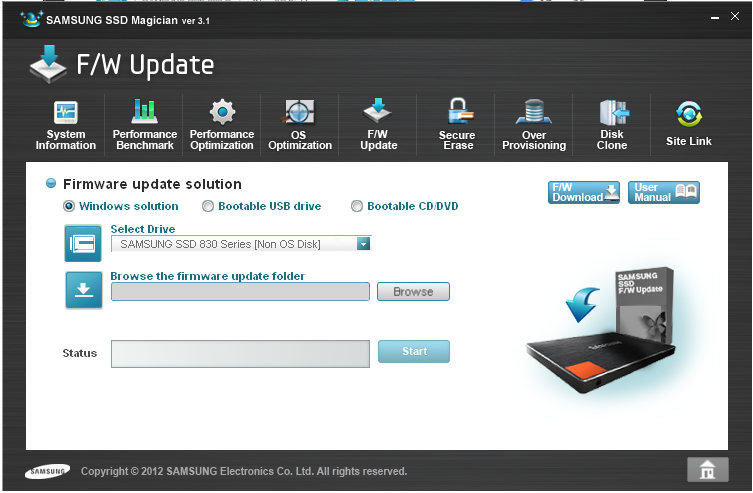 Firmware updates are painless. Magician can do it for you directly in Windows, or it can make a bootable USB or optical disk to take care of the update from outside Windows. Clicking the F/W update button should download the latest FW release. Samsung makes it pretty easy to find on their website in packages for Windows (through Magician) and .ISO formats.
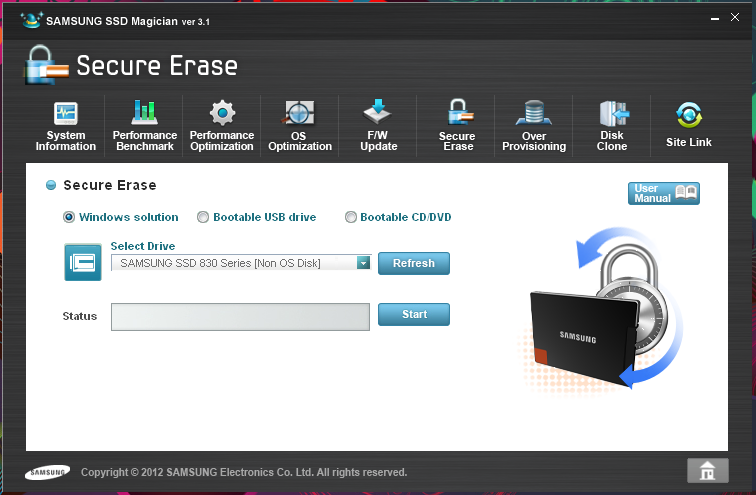 One absolutely essential utility is found under the Secure Erase tab. Almost no manufacturers give users a fast and easy method to secure erase a drive. Like Intel’s SSD Toolbox, a Samsung drive can be sent the ATA secure erase command to put the drive back in a pristine, fresh-out-of-box state, all from within Windows. This is a huge time-saver, as secure erasing a drive through other tools requires a lot of time and effort, and usually some BIOS/UEFI tweaks as well (usually to put the motherboard into IDE, then when the secure erase has completed it must be changed back to AHCI/RAID).
 Perhaps the most interesting of the Magician’s tricks is the ability to overprovision the drive. Magician analyzes the drive, and usually recommends about 9.09% of the user-capacity to be set aside. In the case of the 512GB, 47.60GB of over provisioning is recommended. Simply hitting the shrink button sets the operation into motion. Note that if the space taken up by over provisioning is ever needed back, the opposite expansion operation can be performed.
Any amount can be chose for over provisioning, but the SSD Magician’s recommendation is a good place to start. It can be performed with data on the drive, or even on the system drive. This functionality is actually available directly from Window’s Disk Management Utility, as long as the Virtual Disk Service is running. It takes a few more steps than Samsung’s SSD utility, but it does the job.
Wrapping up the application are two last tabs. “Disk Clone” is just a launcher for Norton Ghost 15, which ships with each 830. “Site Link” is a collection to handy web links : manuals and downloads for Ghost and data migration, and a link to the Samsung interactive SSD guide (which weighs in at a hefty 88.6MB download).
nice review!
512gb is too much. Seriously you can get 128gb SSD. All of your games programs apps will be on that drive. My “documents” musics videos put them on tb drive.
That was an unexpected comment with so many that swear by multi-TB hard drives for all of their storage.
I have a Lenovo T420s on which I run 3 virtual machines, each approx 75Gb in size. I can’t begin to tell you how nice iit is to have speed *and* capacity combined in one!
I love this drive. I have one in my Lenovo T420s and use it t run two Virtual Machines off it. Amazing performance.
However, one thing is important to highlight. Similar to Intel OEM drives, Samsung does not provide support or firmware for OEM drives. They will refer you to OEMS (Dell etc) whenever you need support. Fixes in retail firmware will only reach OEMs when the issues these fixes treat are serious enough. For Samsung drives this has become painfully obvious when PM800 owners had to resort to hacking their drives into retail firmware in order to support TRIM. That very same goes for the PM830. The latest Samsung retail firmware is not available for OEM drives and SSD Magician does not recognize OEM drives as “Genuine Samsung”.
I love the PM830 512Gb drive, but this is an aspect that Samsung really needs to sort!
Not exactly… Intel DOES support their OEM drives with firmware updates, in my experience. I have an x-18m 160 GB OEM from HP that is easily supported and updated with Intels Toolbox…and if I’m not mistaken, Crucial/Micron also allows firmware updates to their OEM drives.
Samsung should do the same…
DELL has a poor technical support.
To be worse DELL refers to Samsung, and Samsung refers to DELL.
A large serious company … and the people doing the jokes
. More can be read here:
https://en.community.dell.com/owners-club/alienware/f/3746/t/19431377.aspx?PageIndex=2
https://forum.notebookreview.com/alienware-m17x/638053-updating-samsung-pm830-firmware-2.html
I’m going to do its part, Dell and Samsung anti-advertising.
According to me they deserve. I also recommend users also overwhelm DELL technical support e-mails Samsung also.
Otherwise, both companies will not do anything with the problem.
The Muss: yes, while 512GB is more then enough for the average user, this drive serves as an excellent replacement for mechanical disks in storage arrays and in server computing. My company uses the 256GB and 512GB model drives in our servers and storage arrays and the performance and value you get is unmatched.
Hey guys I just did a speed test of the Samsung 830 SSD on my 2009 MacBook Pro check it out! https://www.youtube.com/watch?v=gZJ-pPeE5lA&list=UUHjLWNIoRDcgGEa1cLki1Fg&index=1&feature=plcp
This softwareSSD MAGICIAN supports XP which made my purchase happen.
Hello, I’ve bought this SSD a few weeks ago and has tried a few benchmarks with it, and found that my 4k-64 thread read is only 82 MB/s in AS SSD benchmark rather than close to the 267 MB/s as shown in this review. What could be the problem?
Have you tried a CDM benchmark with your system in safe mode? Best advise is hop into the Forums and we can start a running dialogue.